
Remote work has become a standard operating model for many businesses, especially small and medium-sized enterprises (SMEs). While it improves flexibility and productivity, it also introduces significant security risks that traditional office environments were designed to control.
- Protect Your Business’ Cybersecurity Now!
- What Is Cybersecurity for Remote Workers?
- Why Remote Work Increases Cybersecurity Risks
- 1. Unsecured Home Networks
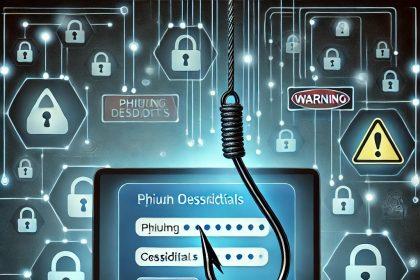
- 2. Increased Phishing Exposure
- 3. Use of Personal Devices (BYOD Risks)
- 4. Public Wi-Fi Threats
- 5. Cloud Account Dependency
- Common Cyber Threats Targeting Remote Workers
- Essential Components of Cybersecurity for Remote Workers
- 1. Multi-Factor Authentication (MFA)
- 2. Endpoint Protection for All Devices
- 3. Secure VPN Access
- 4. Strong Password Policies
- 5. Cloud Security Controls
- 6. Employee Cybersecurity Training
- 7. Device Management and Monitoring
- 8. Data Backup and Recovery Strategy
- Cybersecurity Best Practices for SMEs with Remote Teams
- Signs Your Remote Security Strategy Is Weak
- Business Impact of Poor Remote Cybersecurity
- Building a Strong Cybersecurity Strategy for Remote Workers
- Conclusion: Protecting Your Remote Workforce
Without strong cybersecurity for remote workers, companies expose themselves to phishing attacks, ransomware, data leaks, and unauthorized access through unsecured home networks and personal devices.
Cybercriminals actively target remote employees because they are often the weakest entry point into business systems.
This guide explains the key risks, security requirements, and actionable strategies SMEs can implement to protect their distributed workforce.
Protect Your Business’ Cybersecurity Now!
Protect your business from evolving cyber threats with our tailored cybersecurity solutions designed for companies of all sizes. From malware and phishing to ransomware protection, our multi-license packages ensure comprehensive security across all devices, keeping your sensitive data safe and your operations running smoothly. With advanced features like real-time threat monitoring, endpoint security, and secure data encryption, you can focus on growth while we handle your digital protection. **Request a free quote today** for affordable, scalable solutions and ensure your business stays secure and compliant. Don’t wait—get protected before threats strike!
What Is Cybersecurity for Remote Workers?
Cybersecurity for remote workers refers to the tools, policies, and practices used to protect employees who access company systems outside a traditional office environment.
It includes securing:
- Employee devices (laptops, phones, tablets)
- Internet connections (home Wi-Fi, public networks)
- Cloud applications and collaboration tools
- Company data accessed remotely
The goal is to ensure that location does not compromise security.
Why Remote Work Increases Cybersecurity Risks
Remote work expands the attack surface of any organization. Instead of a controlled office network, businesses must now secure dozens or even hundreds of different environments.
1. Unsecured Home Networks
Home routers often lack enterprise-level protection. Many users:
- Never change default router settings
- Use weak Wi-Fi passwords
- Delay firmware updates
This makes home networks easier for attackers to exploit.
2. Increased Phishing Exposure
Remote employees rely heavily on email, messaging apps, and cloud platforms. Cybercriminals exploit this with:
- Fake login pages
- Invoice fraud
- “Urgent” security alerts
- Impersonation of executives
A single click can compromise an entire organization.
3. Use of Personal Devices (BYOD Risks)
Many remote workers use personal devices for work tasks. These devices may lack:
- Endpoint security software
- Encryption
- Patch updates
- Administrative controls
This creates significant vulnerabilities for business data.
4. Public Wi-Fi Threats
Working from cafés, airports, or hotels exposes employees to:
- Man-in-the-middle attacks
- Session hijacking
- Data interception
Without encryption, sensitive business data can be exposed.
5. Cloud Account Dependency
Remote teams rely heavily on SaaS platforms such as email, file storage, and communication tools. If one account is compromised, attackers can often move laterally across systems.
Common Cyber Threats Targeting Remote Workers
Understanding threats is essential for building defenses.
Phishing Attacks
Still the most common entry point for breaches. Attackers trick employees into revealing passwords or downloading malware.
Ransomware
Malware that encrypts company files and demands payment to restore access. Remote endpoints are frequent targets.
Credential Theft
Stolen usernames and passwords are used to access business systems without detection.
Malware Infections
Downloaded from malicious links, fake updates, or compromised websites.
Insider Risks
Intentional or accidental data exposure from employees with legitimate access.
Essential Components of Cybersecurity for Remote Workers
A strong remote security strategy uses multiple layers of protection.
1. Multi-Factor Authentication (MFA)
MFA is one of the most effective security controls available. It requires users to verify their identity using more than just a password.
Common methods include:
- SMS codes
- Authentication apps
- Hardware security keys
Even if passwords are stolen, MFA significantly reduces unauthorized access.
2. Endpoint Protection for All Devices
Every remote device should be protected with enterprise-grade security software that includes:
- Real-time malware detection
- Ransomware protection
- Behavioral analysis
- Automatic updates
- Device monitoring
For SMEs managing multiple endpoints, centralized solutions are especially important. Tools such as SpyHunter’s multi-license option allow businesses to protect several employee devices under one management plan.
SpyHunter Multi-License Business Protection
3. Secure VPN Access
A Virtual Private Network (VPN) encrypts internet traffic between the employee and company systems.
VPNs help protect:
- Login credentials
- Internal communications
- Sensitive business data
They are essential when employees use public Wi-Fi or unsecured networks.
4. Strong Password Policies
Weak or reused passwords remain a major security risk.
Best practices include:
- Minimum length requirements (12+ characters)
- Use of password managers
- No reuse across accounts
- Regular updates for critical systems
5. Cloud Security Controls
Since remote work depends heavily on cloud services, businesses must secure them properly.
Key controls include:
- Role-based access control (RBAC)
- Session timeout policies
- Login monitoring
- File sharing restrictions
- Activity logging
6. Employee Cybersecurity Training
Human error is still one of the leading causes of breaches.
Training should focus on:
- Identifying phishing emails
- Safe file sharing practices
- Device security basics
- Reporting suspicious activity
- Secure use of cloud tools
Short, frequent training sessions are more effective than annual workshops.
7. Device Management and Monitoring
Businesses should maintain visibility over all endpoints.
This includes:
- Tracking device compliance
- Monitoring login attempts
- Detecting unusual behavior
- Enforcing software updates
- Blocking unauthorized applications
8. Data Backup and Recovery Strategy
Ransomware attacks often succeed because companies lack reliable backups.
Follow the 3-2-1 backup rule:
- 3 copies of data
- 2 different storage types
- 1 offline or isolated backup
Backups should be tested regularly to ensure reliability.
Cybersecurity Best Practices for SMEs with Remote Teams
Small and medium businesses can significantly reduce risk by implementing these practices:
- Enforce MFA across all accounts
- Require VPN usage for sensitive systems
- Install endpoint protection on all devices
- Restrict access based on job roles
- Regularly update software and systems
- Conduct phishing simulation tests
- Maintain an incident response plan
Even basic controls can prevent the majority of common attacks.
Signs Your Remote Security Strategy Is Weak
Your organization may be exposed if:
- Employees reuse passwords across systems
- Devices are not centrally managed
- MFA is not enabled
- Security training is inconsistent
- Employees use public Wi-Fi without protection
- Software updates are delayed or ignored
These gaps are often exploited in real-world cyberattacks.
Business Impact of Poor Remote Cybersecurity
A weak security posture can lead to serious consequences, including:
- Financial losses from fraud or ransomware
- Operational downtime
- Loss of customer trust
- Legal and compliance penalties
- Long-term reputational damage
For SMEs, even a single incident can be business-critical.
Building a Strong Cybersecurity Strategy for Remote Workers
A successful approach combines technology, policy, and awareness:
- Technology: Endpoint protection, VPNs, MFA
- Policy: Clear remote work security guidelines
- People: Continuous employee training
Cybersecurity is not a one-time setup—it requires ongoing management and adaptation.
Conclusion: Protecting Your Remote Workforce
Cybersecurity for remote workers is no longer optional—it is a core requirement for modern business continuity. As companies continue to adopt hybrid and remote models, attackers are increasingly targeting distributed teams as entry points into corporate systems.
SMEs that invest in layered security—covering devices, networks, cloud systems, and employee behavior—significantly reduce their risk of data breaches and ransomware attacks.
Solutions like multi-device endpoint protection can help businesses simplify security management across remote teams while maintaining strong defense standards.
To strengthen protection across your organization, consider deploying centralized security tools such as SpyHunter’s multi-license solution for business environments.