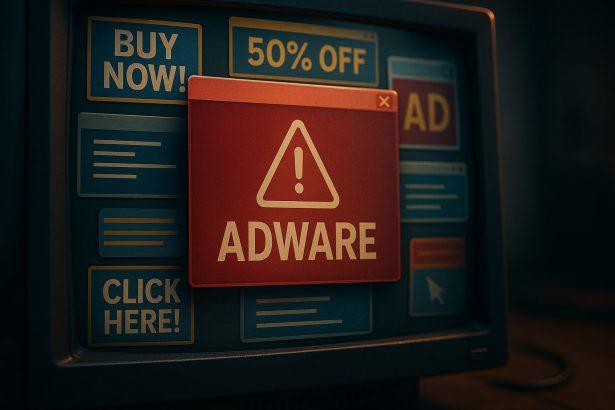

Warning: Users visiting DigitalOnlineSafety.com may encounter alarming messages claiming their device is infected or at risk. These warnings are not genuine and are often designed to pressure users into taking unsafe actions.
What DigitalOnlineSafety.com Is
DigitalOnlineSafety.com presents itself as an online security platform, promising to scan and protect your computer from malware, viruses, and other threats. On the surface, it looks like a legitimate service, but its behavior raises serious red flags. Instead of offering real protection, the site often delivers fake security alerts to manipulate users into clicking links or downloading software that is unnecessary—or even harmful.
Why DigitalOnlineSafety.com Is Not Safe
Several aspects of the site indicate that it is unsafe:
- Deceptive Alerts: The website frequently displays urgent warnings about malware infections, system errors, or outdated security software. These messages are generic and do not reflect your actual system status. Their main goal is to scare users into taking immediate action.
- Forced Interactions: You may be prompted to click through multiple pop-ups or download tools that claim to “fix” your system. Legitimate security solutions do not operate in this manner.
- Redirects and Ads: Visiting DigitalOnlineSafety.com can lead to multiple redirects to other suspicious websites or aggressive advertising pages, increasing the risk of encountering malicious content.
- Hidden Motives: The site is likely monetized through ad revenue, affiliate links, or by promoting software that is of questionable value. This is typical of deceptive online schemes rather than genuine cybersecurity services.
- Low Trust Indicators: The site often has hidden or anonymous ownership, which is a common trait among fraudulent websites. Lack of transparency is a major warning sign.
Common Warning Signs to Watch For
DigitalOnlineSafety.com behaves like a classic scareware site. Users may notice:
- Pop-ups claiming the computer is infected with viruses or malware.
- Messages urging immediate downloads of “security tools” or “updates.”
- Browser redirects that occur unexpectedly while visiting other sites.
- Requests for personal information or credit card details to “clean” your device.
- Overly dramatic messages in bold, flashing, or urgent colors designed to provoke fear.
Risks of Interacting With DigitalOnlineSafety.com
Interacting with the website can expose you to several risks:
- Unwanted Software: You may be tricked into downloading programs that are adware, potentially unwanted programs (PUPs), or fake antivirus tools.
- Phishing Threats: Some redirects may lead to pages designed to steal your personal information, login credentials, or financial data.
- Persistent Ads and Redirects: Even after leaving the site, adware or malicious browser extensions could continue to generate pop-ups and redirects.
It’s important to note that simply visiting the site does not automatically infect your computer. However, repeated visits, accidental downloads, or interaction with its messages can create real security problems.
How to Protect Yourself From DigitalOnlineSafety.com
If DigitalOnlineSafety.com keeps appearing or your browser behaves suspiciously:
- Close the Tab Immediately: Do not click on any buttons, links, or pop-ups presented by the site.
- Run a Full System Scan: Use a reputable anti-malware or antivirus program to check your system for threats.
- Remove Suspicious Extensions: Check your browser extensions and remove any that look unfamiliar or suspicious.
- Clear Browser Data: Delete cookies and cache to stop repeated redirects and remove stored data from deceptive websites.
- Be Wary of Scare Tactics: Remember that legitimate security warnings will never use fear-based pop-ups or pressure you to download software from unknown sources.
Bottom Line
DigitalOnlineSafety.com is not a legitimate online security website. Its primary goal is to trick users into clicking links, downloading software, or providing personal information. The site operates using scare tactics, fake alerts, and browser redirects, making it a high-risk domain. Users should avoid interacting with it and take proactive steps to scan their systems for any related adware or unwanted programs.
By staying cautious and using trusted security tools, you can protect yourself from deceptive websites like DigitalOnlineSafety.com and maintain the safety of your devices.